
Explorer#
Explorer gives you an insight about the blockchain network by monitoring the network health and providing various statistics. You can also explore the block and transaction data and the list of smart contracts on the POTOS blockchain network. POTOS blockchain Explorer has the following major features:
Overview of the network
Block search
Transaction search
Block proposer information
Please note that some of the features are under development.
Dashboard#
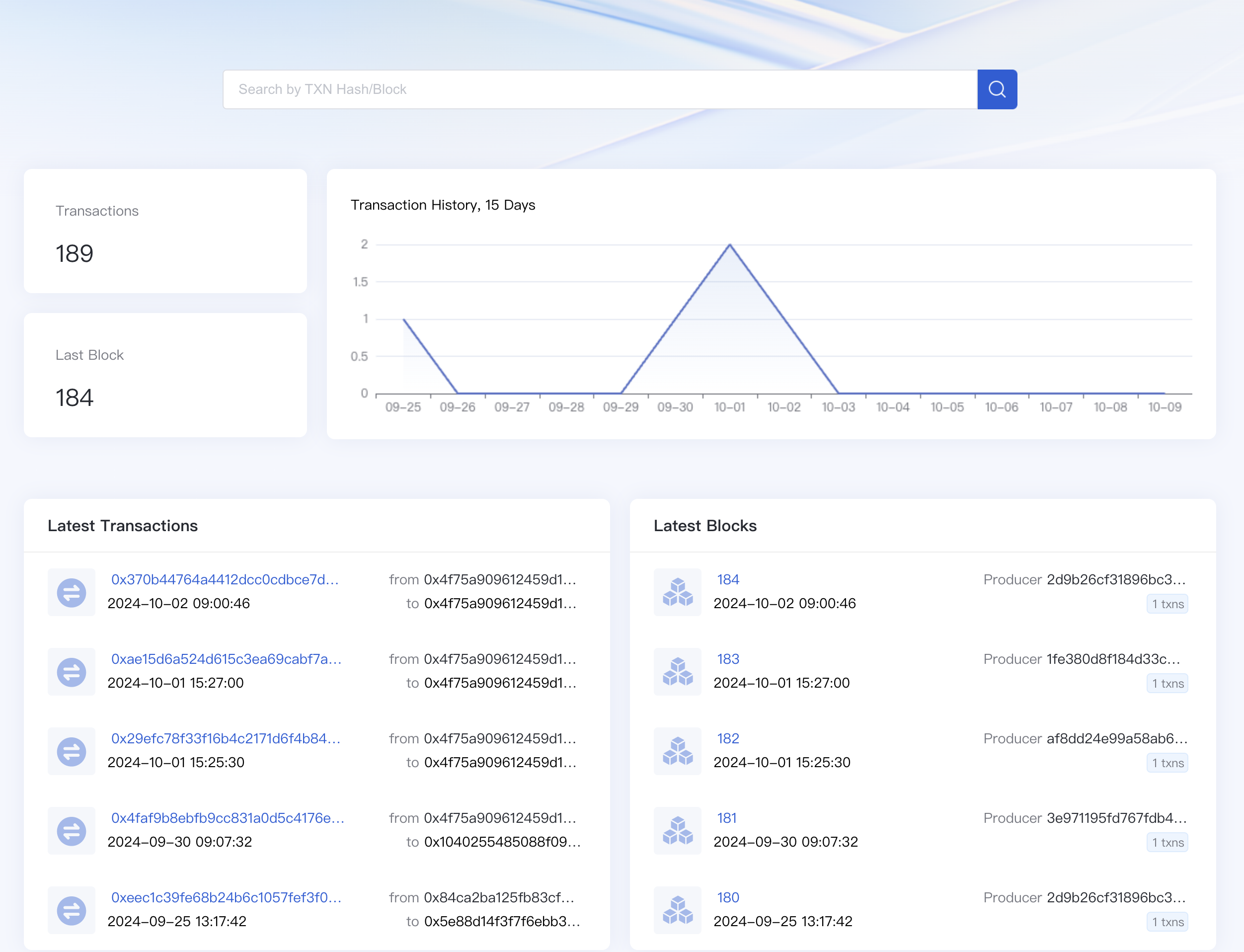
Network information is presented in the dashboard. The information includes the transaction amount, the height of last block committed, and the latest trends in transactions.
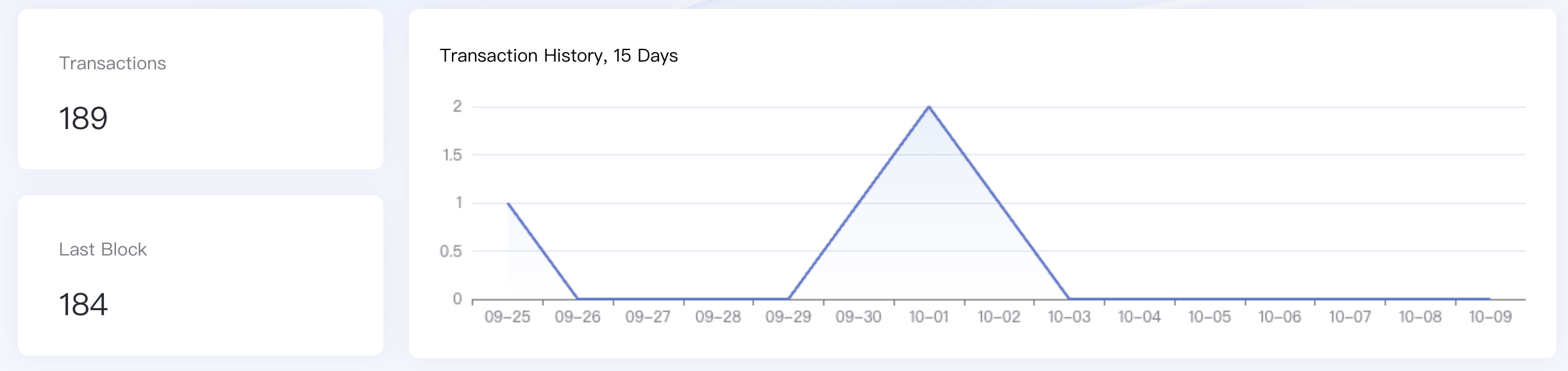
Transactions: The number of total transactions that have been committed.
Last Block: The height of latest block. It shows that how many blocks have been generated since the genesis.
Transaction History: The graphs show the number of daily transactions over the last 14 days. You can see the trend in the transaction volume over the last two weeks.
Recent Blocks & Transactions#
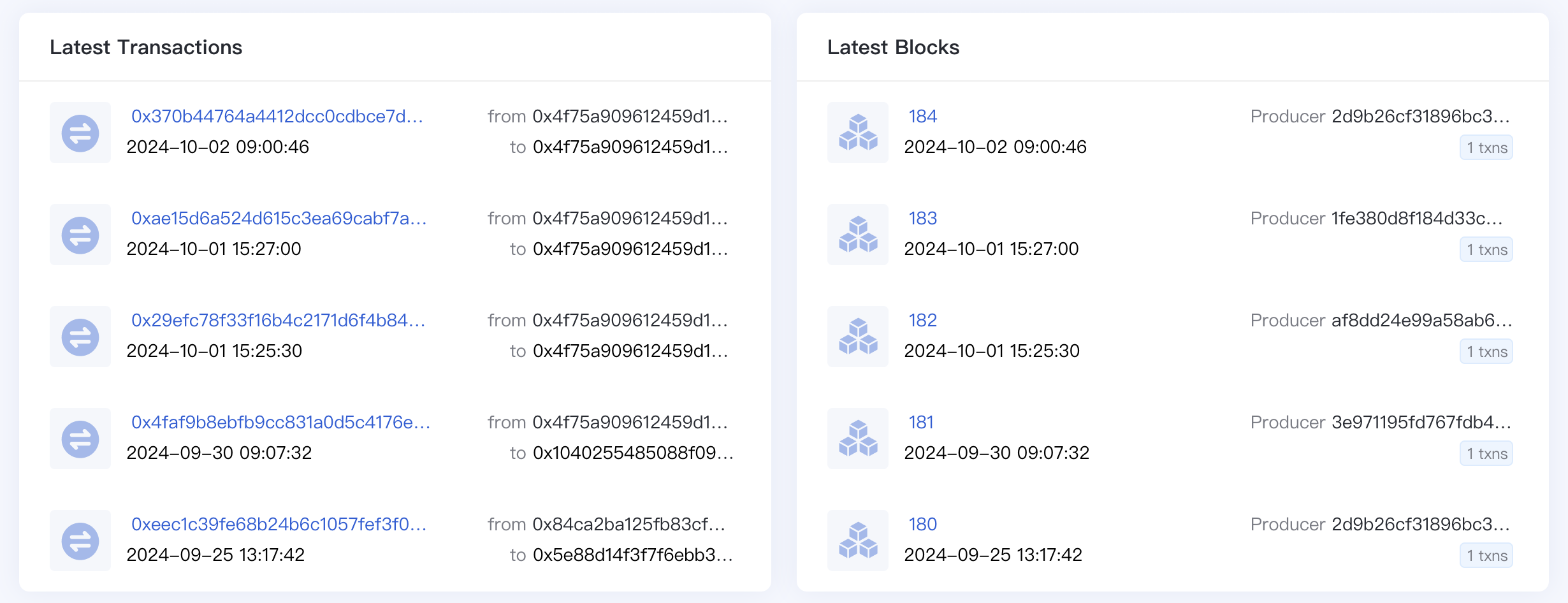
These lists show the information about recently created blocks and transactions respectively.
Block detail#
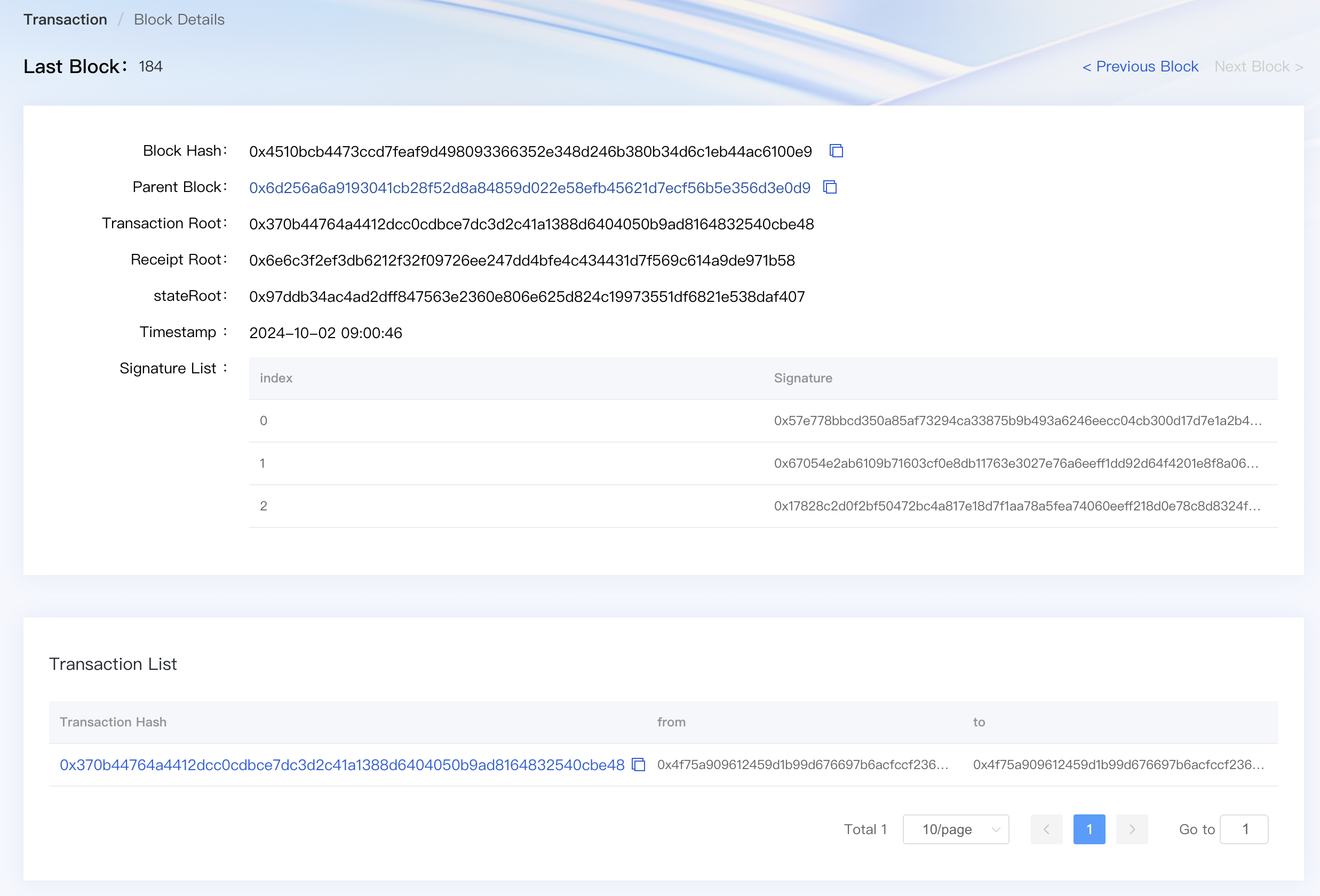
Click on a block height to get overall information about the block:
Block Hash: The unique identifier of the block. By pressing the copy button, you can easily copy the hash value.
Parent Hash: The unique identifier of the previous block. Clicking on the hash takes you to the detail view of the parent hash.
Transaction Root: The root hash of the transaction trie.
State Root: The root hash of the state trie.
Receipt Root: The root hash of the receipt trie.
Timestamp: Elapsed time since the block generation. Exact datetime is also displayed next to it.
Signature List: The list of signatures of validators who validated the block.
Transactions List: The list of transactions included in the block.
Transaction detail#
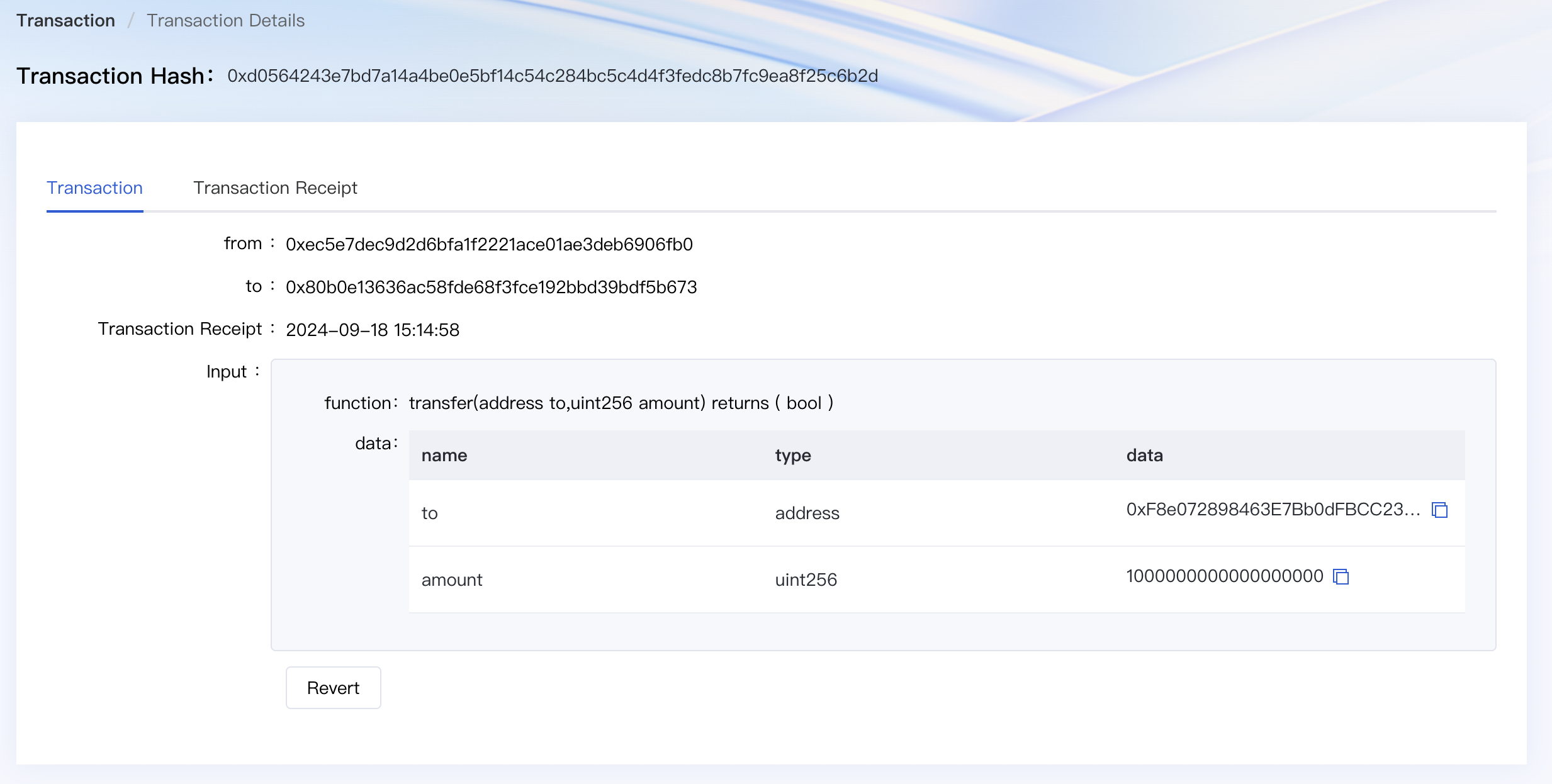
Click on a transaction hash to get overall information about the transaction:
From -> To: The addresses of sender and receiver. By clicking the address, you can go to the detail view of the account. If a file icon appears next to an address, it indicates that the address belongs to a smart contract.
Time: Elapsed time since the transaction was executed.
Input Data: Extra data provided by the sender or contract.
Search#
Through WeCoScan, you can search for the information about transactions and blocks. Entering a valid keyword will take you to the detail view of the entity.

Searchable keywords are hash of block and transaction, and only supported in the following formats:
66 characters long
Starts with a prefix
0xHexadecimal number only [0~9, a~f]
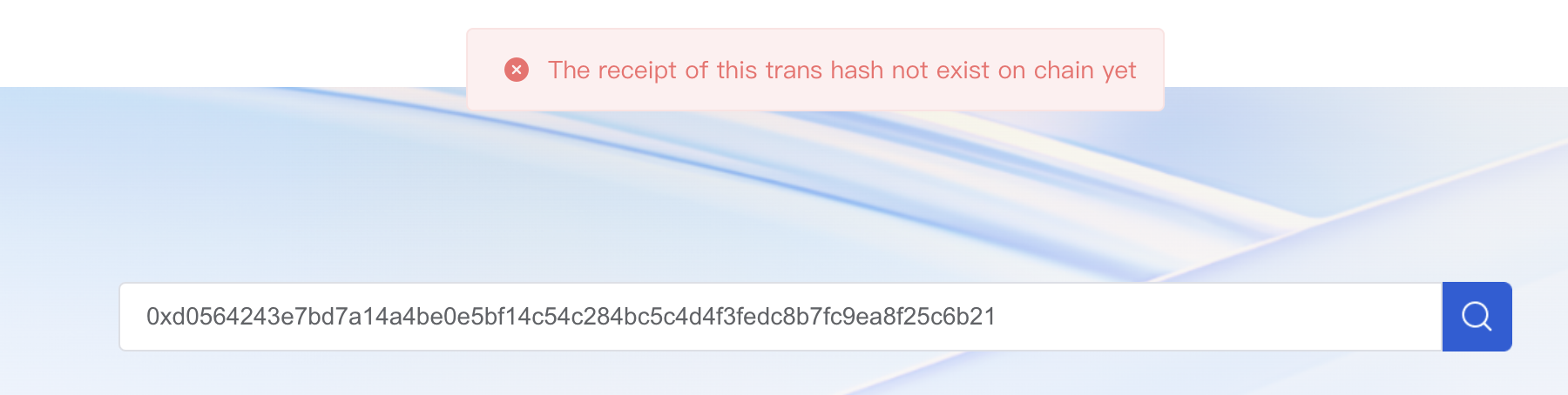
If you search for a keyword that doesn’t fit in the specified format or information hasn’t yet been generated, no result page will appear.